
An app launch marketing kit is a small, organized set of messages and visual assets that explain your app wherever someone first encounters it. Start with the product promise, real screenshots and a consistent visual direction. Then prepare the files for the store listing, website and launch channels you actually plan to use.
What belongs in the kit?
Marketing collateral is simply the material you use to explain and promote a product. For an app, a useful starting kit connects the listing to the rest of the launch. Each asset needs a purpose, an audience and a place to appear.
| Asset | Its job | Prepare first |
|---|---|---|
| Message brief | Keep the promise consistent. | Who the app helps, the problem it solves and one clear sentence about its value. |
| Brand essentials | Make the app recognizable. | Approved icon, logo, colors, type choices and usage notes. |
| Store screenshots | Show how the product works. | Real screens, one message per frame and the supported devices and languages. |
| Header + search artwork | Introduce the visual world of the app. | One direction adapted for each App Store placement. |
| Website / launch image | Connect a launch announcement to the product. | A composition, short description and working destination link for each chosen channel. |
| Press / partner folder | Help someone else describe the app accurately. | A short description, selected images, clear filenames and a contact address. |
This is a planning checklist, not a bundle of services. Scaleapp Creative’s current artwork offer covers the header + search pair; screenshot work is scoped separately. A launch may need fewer assets, particularly when you are updating an existing app.
Write the message before choosing the look
Complete this sentence: “For [person], [app] helps with [task] by [specific approach].” Keep it factual enough that a screenshot or a short demonstration can support it. “Plan a walking route by drawing it” gives a visual brief more direction than “the ultimate adventure app.”
Next, list three things the app actually does that support that promise. These become candidates for the screenshot sequence and launch copy. Remove claims you cannot demonstrate, and distinguish something planned from something already available.
A compact creative brief: app link; audience; main use; three useful features; preferred tone; existing brand assets; required placements; languages; and anything the artwork should avoid. A paragraph with these details is more useful than a large folder without context.
Make one direction work across the kit
A mood board can help you choose a palette, composition and tone before making finished files. Keep a note beside each reference explaining what is useful about it. Use references to discuss decisions, and use artwork you have permission to include in the final assets.
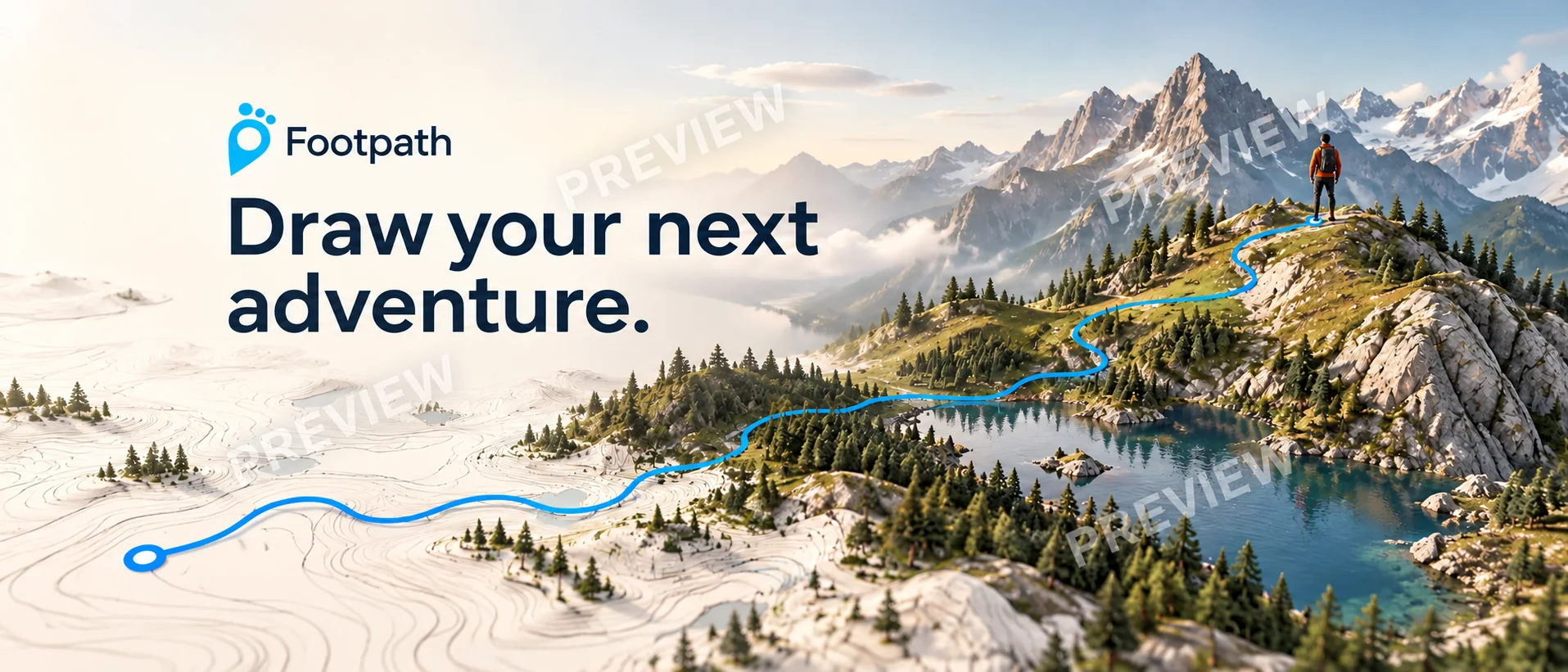
The blue route is the organizing detail: it connects the map-like foreground to the destination. The headline reinforces the same action. A different app needs its own useful connection; borrowing the scenery alone would lose the reason this composition fits.
Carry the chosen colors, type treatment and message into other placements. Recompose for each shape instead of stretching a wide design into a tall one. For the actual product interface, follow the screenshot design guide; for branding artwork, use the header and search image guide.
Your app launch asset checklist
Use these boxes for a quick review. They are a temporary working aid; download the text checklist to keep your own copy.
Apple’s upload requirements vary by placement. Check the current creative asset specifications and screenshot specifications before exporting. The compressed, watermarked images on this site are previews, not store upload files.
Make the handoff easy to use
Organize delivery files by placement and language, and include the app name, purpose and dimensions in filenames. For example, appname-header-en-3840x1646.png is clearer than final-new-2.png. Keep reference images and approved exports in separate folders so a preview cannot be mistaken for a final asset.
Review the kit as a journey: someone sees a launch image, opens the listing and reads the screenshots. The message should stay recognizable while each step adds useful detail. A consistent kit makes that review easier; it does not guarantee downloads or a conversion improvement.
Common questions
Is this a complete app marketing strategy?
No. It covers the messages and visual materials around a launch. Audience research, distribution, pricing and measurement need their own decisions. Choose your channels before producing every possible asset.
Do I need a new visual identity to improve my listing?
Often the useful starting point is the identity you already have. Clearer screenshots, a more focused headline or a coordinated header/search pair may address the immediate gap. Review the app and its existing assets before deciding how much to change.
Can I see artwork for my own app first?
Yes. Request a free watermarked concept using your App Store link and email. You can review the emailed direction before deciding whether to buy the final artwork.
A direction for your own app
See a free concept before you decide.
Submit your App Store link and email through the preview form. Add a short brief if you have one. We review requests, prepare a watermarked concept and email it to you. No card, payment or app account access is needed to request a preview.
If you choose to buy, the final header + search pair is $99 USD total per app, including one round of copy or color changes. Screenshot work is quoted separately.
An assistant working on your behalf can help submit the same form using your app details, contact email and preferences. Concepts are prepared manually and delivered by email.