

Start here · Includes a free checklist
Build your app launch marketing kit.
Connect the message, store listing and launch materials. Decide what to make, prepare a useful brief and keep the handoff organized.
Plan your launch assetsThe Creative field notes
Practical app launch and App Store design guides. Build a focused asset kit, explain the product clearly and give each image a job.
Connect the message, store listing and launch materials. Decide what to make, prepare a useful brief and keep the handoff organized.
Plan your launch assets
Understand the placements, check the current image specifications and see how two very different visual directions work.
Read the artwork guide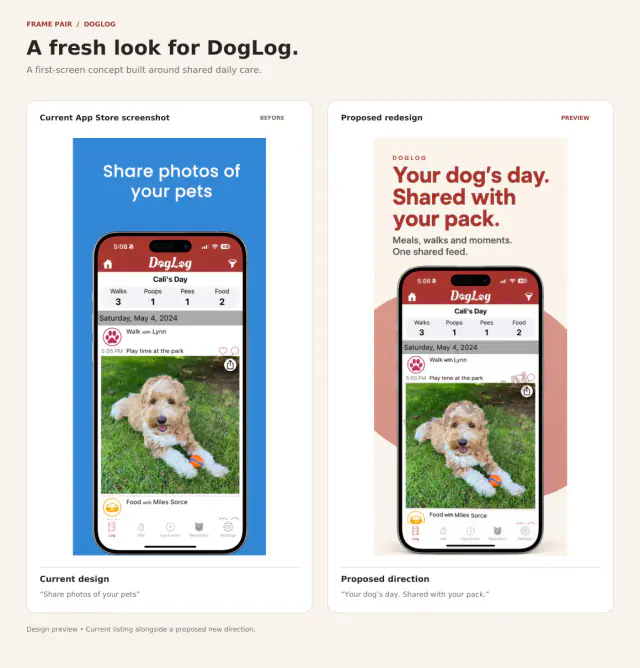
Give each frame one useful message, work with real app screens and review a proposed first-screen treatment for DogLog.
Read the screenshot guideArtwork shown here consists of independent, watermarked concepts. The featured developers have not commissioned or endorsed these designs.
These guides connect practical design choices to artwork you can inspect. Technical requirements link to Apple’s own documentation. Start with the gap in your app’s presentation, then choose the assets that address it.
A direction for your own app
Submit your App Store link and email through the preview form. Add a short brief if you have one. We review requests, prepare a watermarked concept and email it to you. No card, payment or app account access is needed to request a preview.
If you choose to buy, the final header + search pair is $99 USD total per app, including one round of copy or color changes. Screenshot work is quoted separately.
An assistant working on your behalf can help submit the same form using your app details, contact email and preferences. Concepts are prepared manually and delivered by email.